
Online booking for hair salons
Customers can book on your salon's page without downloading anything, or in the Stamly app if they have it. Either way, the appointment lands in the same appointment book your staff already work from.
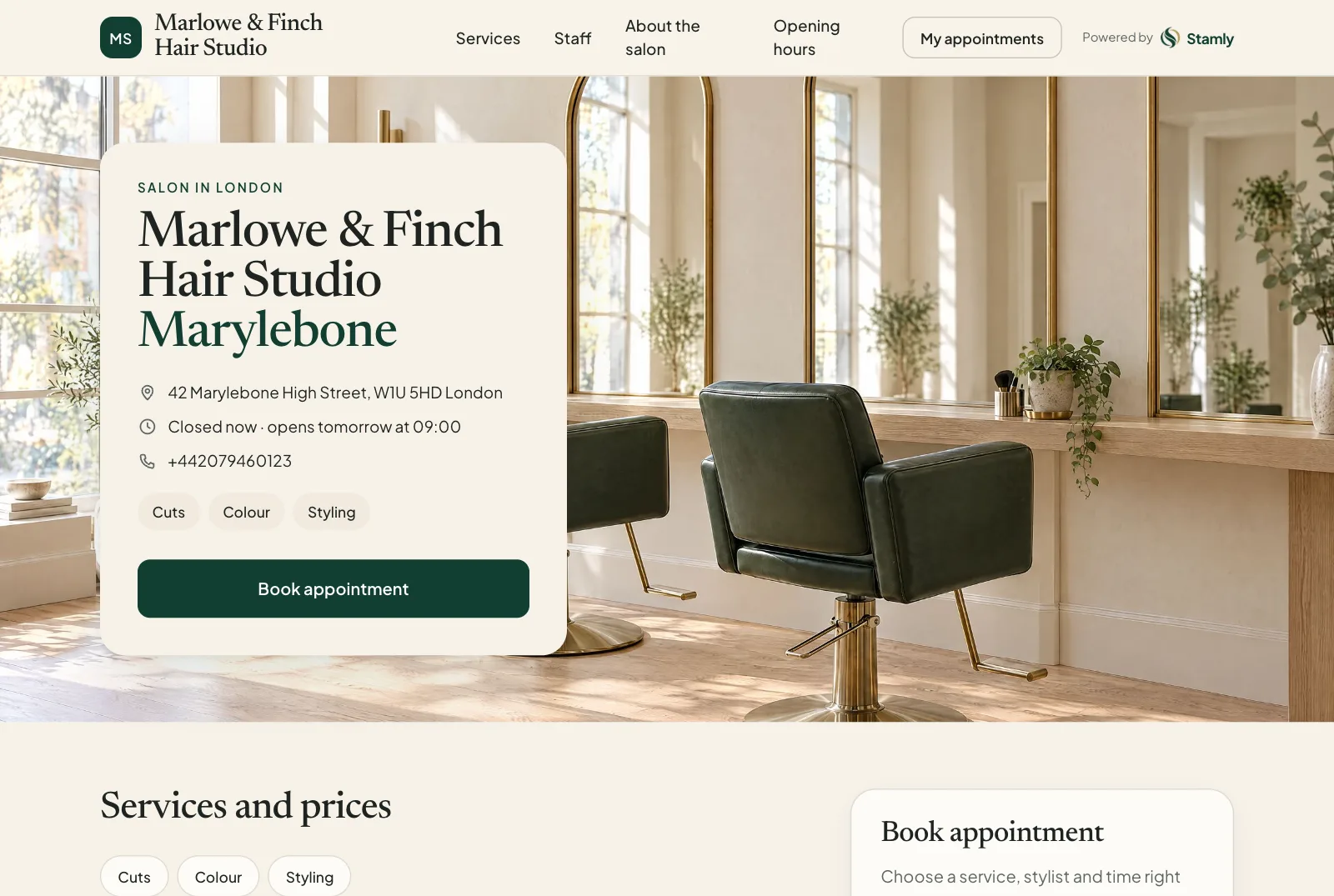
Online booking at a glance
- Customers book online at salons that have turned on online booking, or in the Stamly app.
- Every booking shows up in one shared calendar for the salon.
- Customers can reschedule or cancel within the salon's own rules.
- Bookings are tied to your client database and your loyalty programme.
Or in the app
Customers who use the Stamly app book there in the same way: service, stylist, free time. The appointment ends up in the same book as the ones made on your salon's page.
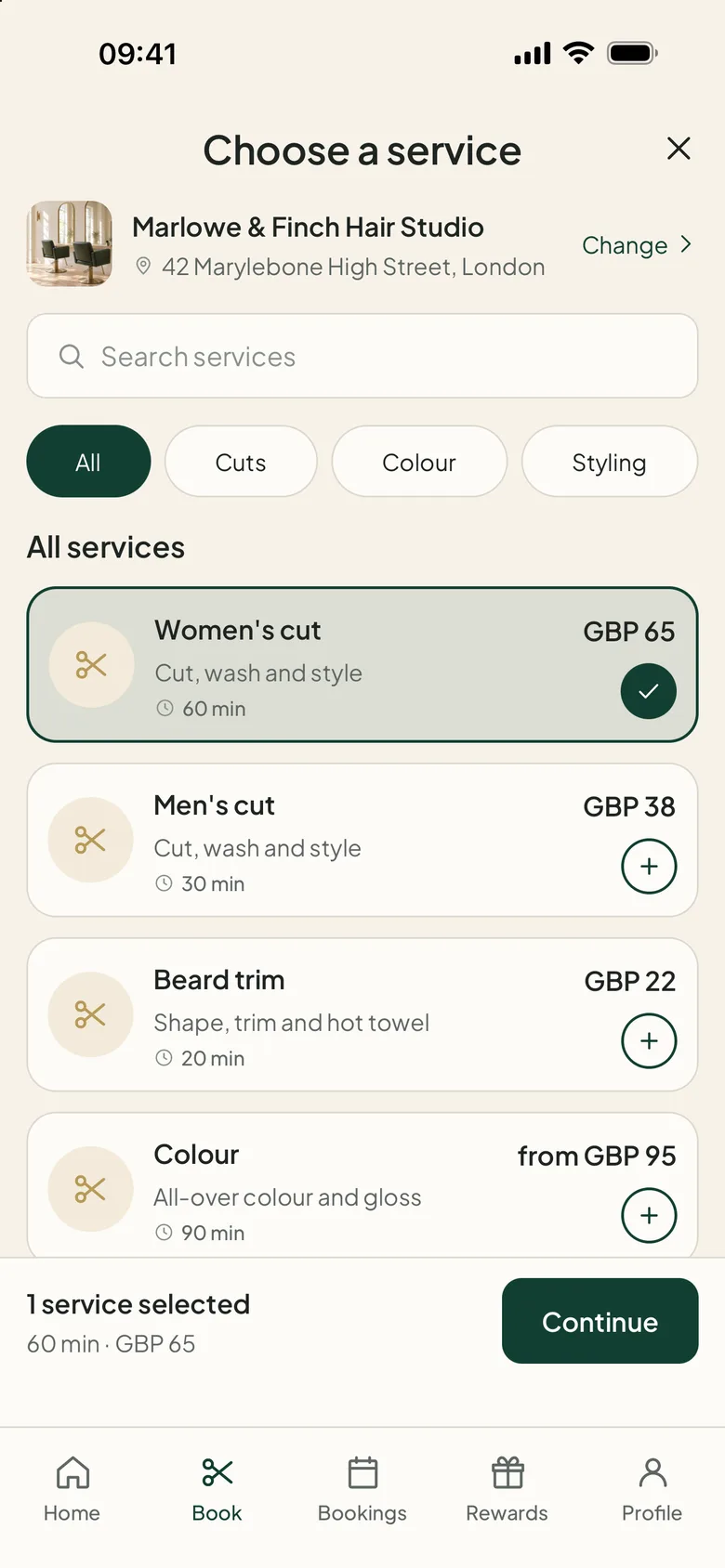
Can customers book without an app?
Yes, at salons that have turned on online booking. The customer opens the salon's page on stamly.net, signs in with an email and a one-time code (or with Apple, Google or Microsoft), and picks a service, a stylist and a free time. The app is there for those who want it. Nobody has to install it to book online.
You can put the booking link on your own website and social profiles. Customers still pay at the salon. If a salon hasn't opened online booking, its page tells customers how to get in touch instead.
How does online booking work for a hair salon?
The customer chooses the salon, the service, a stylist and a free time, online or in the app. The booking appears in the salon's appointment book straight away, so staff can see who's coming in and what they've booked.
A Book button on its own doesn't get you very far. Behind it, the salon needs a calendar that knows who is working, how long each service takes and which stylist does what. In Stamly those pieces are one system, so the times a customer sees are times that actually work.
What happens when a customer wants to change or cancel?
Customers manage their own booking in the app. You set the cancellation deadline, and any change shows up in the appointment book. Nobody has to copy the same change into a diary, a spreadsheet and a text message.
Stamly also sends a reminder before the appointment. It won’t replace your cancellation policy, but it does mean fewer people forget what time they’re due.
How do stylists keep track of the day's appointments?
Each stylist sees their own day in Stamly Business, the staff app. The owner uses the web portal to see the whole team's calendar. New bookings, moved appointments and gaps all show up in that same view.
When the service is done, the salon records it as completed and the customer gets any loyalty points they've earned. Stamly doesn't take the customer's payment. That still happens at your till.
- A digital appointment book for the salon
- Booking and rescheduling in the customer app
- Today's appointments in Stamly Business
Online booking: common questions
Can customers book a hair appointment without phoning the salon?
Yes. They can book in the Stamly app, or on the salon's page when online booking is turned on. Booking online needs a sign-in, but no app download.
Can the customer reschedule or cancel?
Yes. Customers can change or cancel in the app, up to the cancellation deadline the salon has chosen.
Do stylists get their own appointment book?
Yes. The salon has one shared calendar, and each staff member sees their own appointments in Stamly Business.
Does the customer pay for the appointment through Stamly?
No. Customers pay at the salon. Stamly handles booking and running the salon, and doesn't collect payments from customers.
More features for your salon
See how booking, customers, staff and loyalty fit together in Stamly.
See all of Stamly for your salon
Appointment book, customers, staff, loyalty and the overview, in one platform.