
Marketing campaigns and SMS marketing for salons
Customers who have said yes to offers get your campaigns as a notification in the Stamly app. Customers without the app can get them by SMS, once the salon has bought an SMS pack. Before you send, the portal tells you how many people you'll reach, and how.
Campaigns at a glance
- Campaigns only go to customers who have agreed to marketing from the salon.
- Notifications in the app are free. SMS is an add-on, taken from a pack you buy.
- An automatic campaign can go to customers who haven't visited for a number of days you choose.
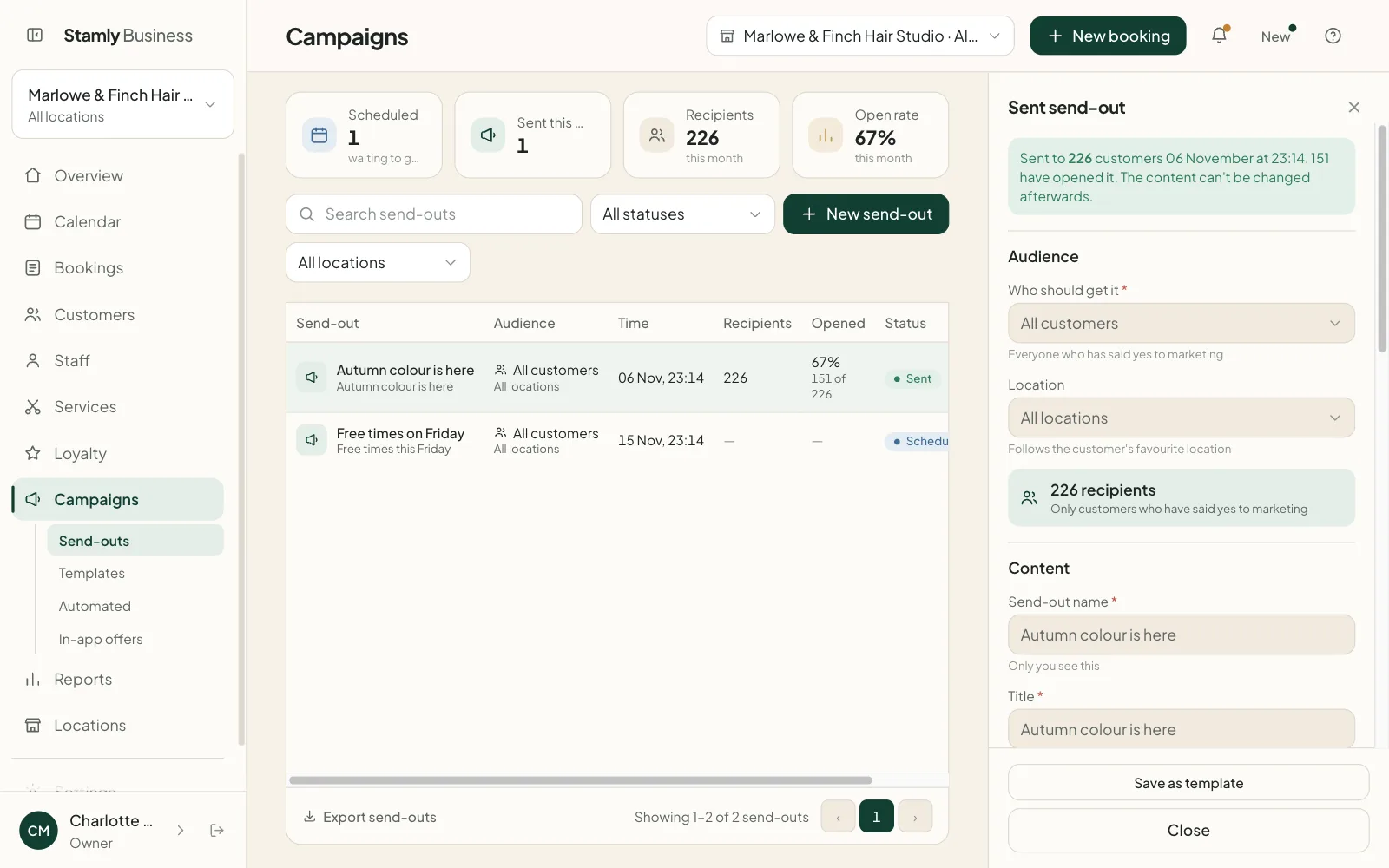
- Each send shows the recipients, how many opened it and the open rate.
Gaps on Friday, filled on Thursday
Thursday evening, and Friday's calendar still has holes in it. This is how one send goes from the portal to customers. Names and figures are made up.
Campaigns
Portal17:40
New send “Free times on Friday” · Visited recently, last 60 days · 214 recipients
Portal17:41
188 get an app notification · 26 get SMS
Stamly17:42
Sent to 214 customers
Nora, customer18:05
Booked Friday at 13:30 straight from the notification
Portal21:10
97 have opened it

Pick who gets it
Every send has an audience: all customers, customers who haven't been in for a certain number of days, or customers who have visited recently. The lapsed group also includes people who joined the salon but haven't sat in the chair yet. The portal counts recipients while you type.
Each customer has to say yes to offers and news from the salon themselves. They do that when they join, and can change it under My salons in the app. You can also record consent on the client card in the portal. If a customer has turned off offers under Notifications, they get no campaigns, whatever your records say.
An app notification, or SMS from a pack
If the customer has the Stamly app, the campaign arrives as a push notification and stays in their notification list. That costs nothing extra. If they've switched push off, they see it the next time they open the app.
Customers without the app can get the campaign by SMS if the salon has bought SMS. In Norway a pack is 500 SMS for NOK 750; in other countries the price follows what an SMS costs there. The SMS never expire, and each one comes off the pack as it's sent. If the pack runs out partway, the first customers get SMS and the rest see the campaign when they start using the app. Campaigns aren't sent by email.
Before you press send, the form shows the split, for example “188 get an app notification · 26 get SMS · 4 can’t be reached”, and how many SMS you’ll have left afterwards.
- A headline of up to 60 characters and a message of up to 160
- An optional button with a link, and an image in the app
- Send now, or schedule a date and time
- Nothing goes out between 22:00 and 08:00
A “we miss you” that sends itself
Under Automatic campaigns you create a rule with the trigger “Haven't visited for”. You choose how many days without a visit it takes, and a cooldown so the same customer doesn't get the message again too soon. From then on it goes to one customer at a time, on the day they cross the line.
New rules are saved switched off. Read the text through and turn it on when you're happy with it. Next to the rule you see how many it has gone to, how many opened it and when it last ran.
Double points, a discount or an announcement
An offer stays in the app for as long as it runs, under “Recommended for you” on the home screen. Double points apply by themselves when an appointment is completed during the offer, and you can set the multiplier anywhere from 1 to 10. For a quiet Tuesday, nothing is simpler.
A discount is shown to the customer but isn't taken off automatically. You apply it at checkout. An announcement is just a message, with no points and no price. Offers can be paused and switched back on.
Templates, open rate and export
Texts you send often, like “free times this week” or “new colours are in”, can be saved as templates. Using a template creates a draft, and you check it before anything goes out.
Every send shows the number of recipients, how many opened it and the open rate. You can download the list of sends and offers as a spreadsheet. Campaigns are created by the owner and by location managers, and a location manager sends them for their own locations.
Campaigns: common questions
Are SMS campaigns included in Stamly?
No. SMS is an add-on the salon buys: 500 SMS for NOK 750 in Norway, with prices in other countries following what an SMS costs there. Campaigns sent as notifications in the Stamly app cost nothing extra.
Who receives the salon's campaigns?
Only customers who have agreed to marketing from the salon and haven't turned off offers in the app. A customer can withdraw consent whenever they like.
Can a campaign be scheduled ahead of time?
Yes. Pick a date and time and the send goes out by itself. Campaigns are never sent between 22:00 and 08:00.
How can a salon win back customers who haven't visited in a while?
With an automatic campaign in Stamly. You choose how many days without a visit it takes, and the message goes to each customer on the day they reach it, with a cooldown so nobody gets it twice in a row.
Is the discount applied automatically at checkout?
No. The customer sees the discount in the app, but staff apply it at checkout. Double points work differently and are added automatically.
Can the salon see how many people opened a campaign?
Yes. Each send shows how many received it, how many opened it and the open rate as a percentage.
More features for your salon
See how booking, customers, staff and loyalty fit together in Stamly.
See all of Stamly for your salon
Appointment book, customers, staff, loyalty and the overview, in one platform.